I Went All In on Claude Code Desktop for a Day. Here's What Happened.
First impressions of the new Claude Code desktop app from someone who lives in the terminal version. What's better, what's missing, and why /rewind not being there is kind of a big deal.
We're doing a hackathon at work this week and the whole point is to go deeper on AI. I've been using Claude Code for the past seven or eight months, and for the last few weeks I've gone 100% agentic coding. At work, on side projects, nights and weekends. So there isn't a ton of room for me to grow compared to some of the others on the team. But I still wanted to challenge myself, and I decided the challenge would be this: go all in on the Claude Code desktop app for the entire hackathon and see if I can actually switch my workflow over.
I've been a terminal Claude Code user since the beginning. The terminal is my home. But I'll be honest. The terminal experience has a lot to be desired when it comes to output. Tables, graphs, anything visual. It's 2026. Why are we still dealing with TUIs and Unicode character interfaces when we could have real rendering? The desktop app handles all of that so much better. That alone made me want to give it a real shot.
Bash Commands: Close, But Not Quite
The very first thing I check with any Claude Code setup is bash support. The ! command is probably the single most important feature in my workflow. I use it to run gh issue view <number> to pull the ticket body and title directly into Claude's context window. No fluff, no conversational overhead. Just raw context, straight in.
The desktop app does have bash commands now, which is a big improvement over previous versions. That's what kept me from using it before. But there's a problem: you can't run a bash command as your first message. You have to send a regular text prompt first, and then bash works on follow-up messages.
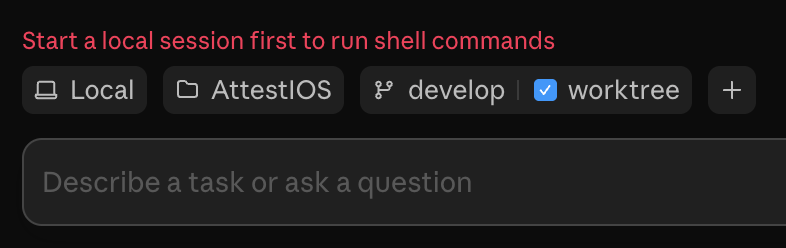
This matters more than it sounds. When I run ! gh issue view 2664 in the terminal, the output goes straight into Claude's context. No thinking, no reasoning, no "the user wants me to do this." It just lands. In the desktop app, even when you do get into bash mode, Claude seems to reason about the output. It's burning tokens on interpretation when I just want it to shut up and ingest the context.
The fact that they added bash as a first-class feature tells me they're thinking about it, though. So I'm open to sticking with it and seeing where it goes.
The Terminal Panel and Split Screen
One thing the desktop app does really well is the side panel layout. You can open a built-in terminal alongside your Claude conversation. There's also Preview, Diff, Tasks, and Plan panels. The split screen is easy. Drag and drop. You can have up to four windows open, which is more than enough. I'll probably stick to two, maybe three max. Having too many things going on at once is exhausting and forces too many context switches.
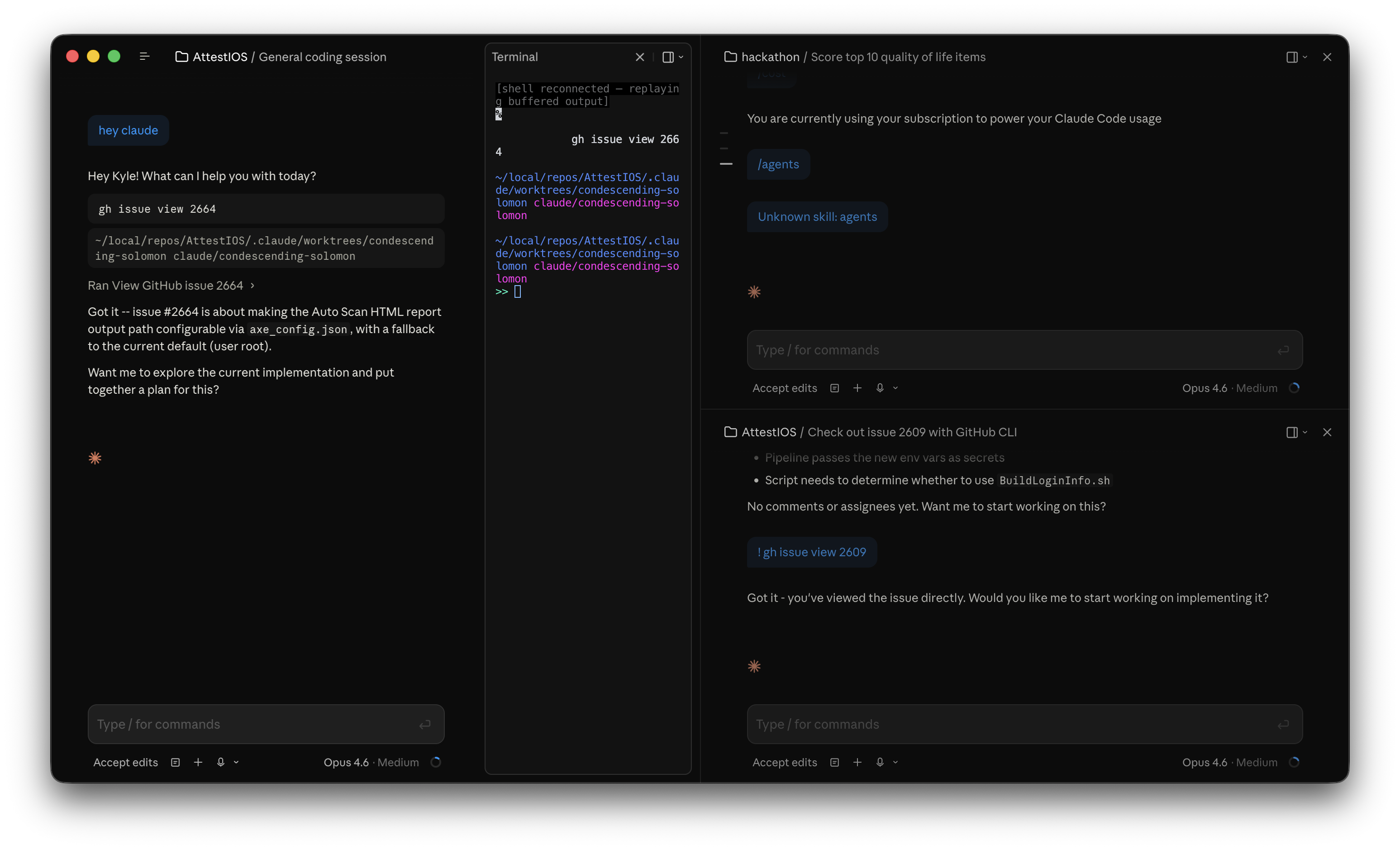
The one catch with the terminal panel is that it opens to Claude's worktree directory, not your actual project directory. So you have to navigate manually to wherever you actually want to be. A little annoying, but I'm assuming that'll get fixed.
The Slash Commands Gap
This is where it started to hurt. Three of the slash commands I use regularly are just missing.
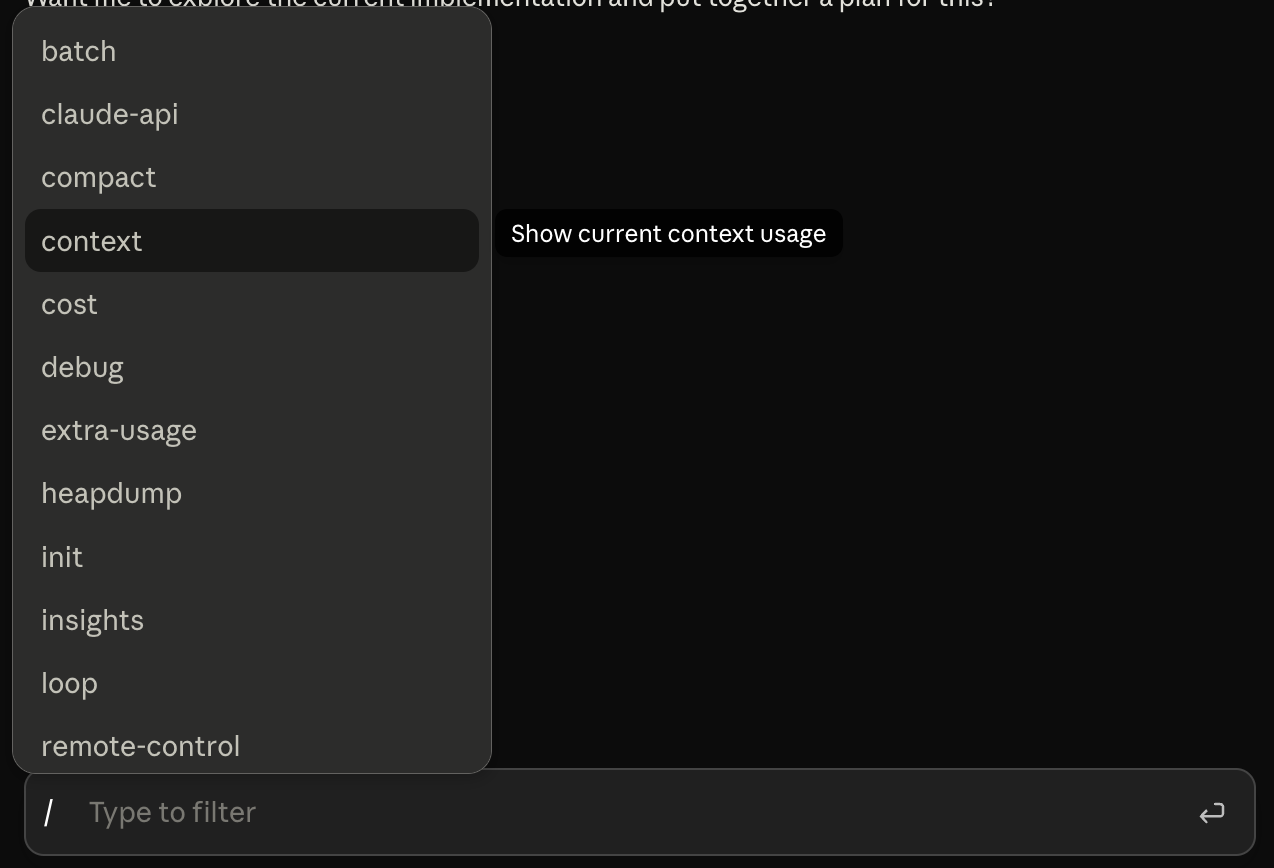
/agents isn't there. You can still have Claude create agents through conversation, but the dedicated command is gone. /mcp is also missing, though that probably matters less since MCP in the desktop app is handled through Connectors.
But the one that really got me is /rewind. This is, in my opinion, one of the most powerful commands in Claude Code. Being able to go back, modify your context, and steer the conversation exactly where you want it. That's how you maintain good context hygiene. Without it, if Claude goes down the wrong path, your options for recovery are way more limited.
Not having /rewind is kind of a big deal for me. I'm going to keep using the desktop app and see how far I can get without it, but it needs to come back.
The dropdown menu for the commands they do include is actually nicer than the terminal, though. You can read the full description of each command without having to memorize them. That part is a genuine improvement.
Transcript Output Levels
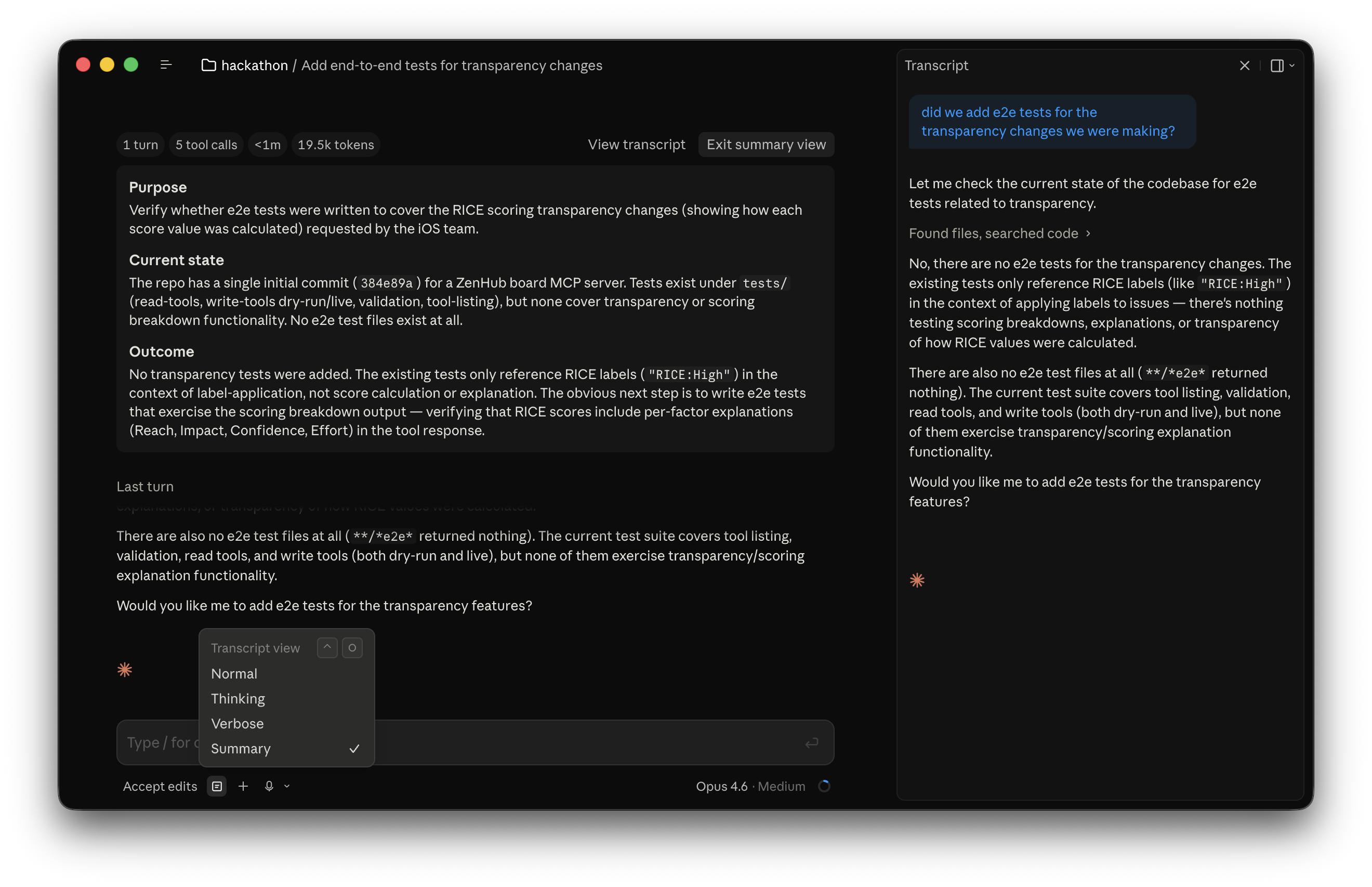
This was the feature that impressed me the most. The desktop app lets you control how much of Claude's internal process you can see. There are four levels: Normal, Thinking, Verbose, and Summary.
I immediately switched to Verbose. Here's why.
When I first started using Claude Code, I was primarily working on CI/CD workflows. Watching Claude's tool calls and bash commands taught me more about scripting than I expected. The strategies it uses to gain context. How it navigates git history. How it uses git blame to understand why changes were made. The way it searches and reads code systematically. All of that is visible when you expand the output, and it genuinely made me a better engineer.
In the terminal, you can press Ctrl+O to see the expanded version of what Claude was thinking, but it's kind of buried. Having it as a proper UI toggle with clear labels is so much better. Verbose shows everything. Thinking shows just the reasoning without tool calls. Normal is your standard vibe-code experience. Summary gives you a high-level overview at the top of your session, which I don't really see myself using, but it's there.
Haiku in the Wild
This came directly from having Verbose transcription turned on. I watched Claude spin up a subagent, and right there in the output it said "Ran agent Haiku 4.5 Explore MCP server codebase."
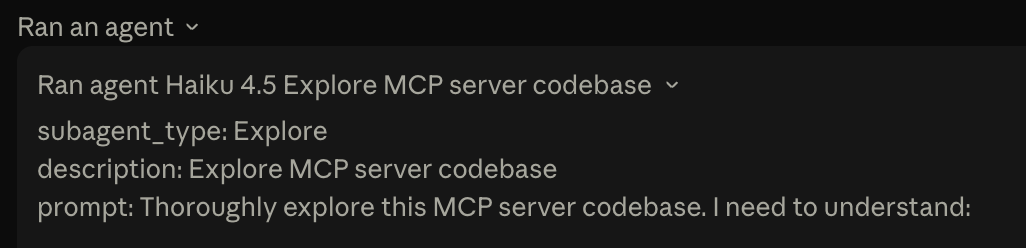
I've always known Claude uses smaller models for subagents. It usually doesn't make sense to spin up an Opus instance for a quick exploration task. I had assumed it was always using Sonnet, but seeing Haiku explicitly named was a first for me. In seven or eight months of daily Claude Code usage, I had never seen Haiku mentioned by name.
I appreciate the transparency. Knowing which model is doing what helps you understand where your tokens are going and why certain subagent responses might be less detailed than others. Building out subagent workflows is something I do a lot, so understanding how Claude itself delegates work is genuinely useful.
Queued Message Editing
This one goes in the wrong direction. When Claude is in the middle of working and you want to steer it, you can queue up a message. Same as the terminal. But in the terminal, you can press up and edit that queued message before Claude processes it. Maybe you realize Claude is actually going down the right path and your correction isn't needed anymore. Maybe you want to rephrase. You just press up, make the change, and you're good.
In the desktop app, once a message is queued, it's locked in. You can't edit it. You can't remove it. It's just sitting there, waiting to fire, and you have no control over it.
This needs to get fixed. The whole point of queuing is that you're thinking ahead while Claude is working. Your thinking changes as you watch Claude's progress. If you can't update the queue to match your updated thinking, the feature loses a lot of its value.
Where I'm Landing
Overall, it's a solid improvement from the initial Claude Code desktop app. The rendering is better. The split screen layout is clean. The transcript output levels are a feature I didn't know I wanted until I had them. The model transparency is great.
If you're someone who's been wanting to try Claude Code but doesn't love the idea of living in the terminal, the desktop app is worth checking out. It makes the feature set way more discoverable and approachable.
For me, the terminal is still going to be my primary for now. Not having /rewind is a real problem for how I work. The bash-on-first-prompt limitation and the queued message thing are friction I don't have in the terminal. But I'm going to keep using the desktop app alongside my terminal sessions and see how it evolves. Things are only going to get better with this stuff. I assume most of my gripes will go away relatively soon.
I'll report back if anybody even cares.